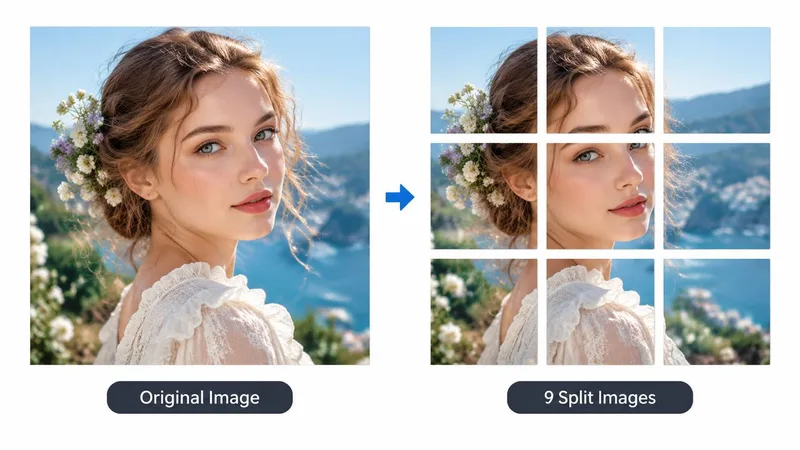
What an image split tool does
An image split tool divides a single photo into smaller tiles that still line up when posted in order. Creators use it for Instagram carousels, Xiaohongshu nine-grids, story strips, and print sheets. The subject does not change. Only the crop boundaries change.
RenderHarbor’s splitter runs locally. The browser reads the file, draws each region to a canvas, and exports PNG tiles. There is no generation model and no credit charge. That keeps the job fast and private when you only need geometry, not an AI rewrite.
If you need a sharper source first, run Image Enhance or the upscaler, then come back here. Split after you are happy with the full frame so every tile inherits the same quality.
How to split an image online
Upload a JPG, PNG, or WebP. Choose a layout such as 2×2, 3×3, 1+2, or left-right stacks. The preview redraws immediately so you can see tile order and proportions before you download.
Numbers on each tile show the export order. Match that order when you upload to a feed so the collage reconstructs correctly.
Click Download ZIP when the layout looks right. The archive contains one PNG per tile, named in sequence. Keep the original upload if you might try another layout later — the ZIP is a copy, not a destructive edit.
Layouts: grids, strips, and 1+2 styles
Equal grids (2×2, 3×3, 4×4) are the usual choice for a full-bleed collage. Horizontal and vertical strips (1×2, 2×1, 1×3, 3×1) work better when you want a swipe sequence or a tall story stack.
1+2 and 2+1 put one wide band next to a pair of smaller tiles. Left-right variants (1|2, 2|1, 1+2×2) keep a hero crop on one side and supporting crops on the other. Pick the pattern that matches how the platform will lay the tiles out.
Tiles meet edge to edge with no padding baked in. If a platform adds its own gutters, the seams may show a hairline; that is the feed, not missing pixels in the ZIP.
Privacy and limits
Processing stays on this device. Closing the tab clears the preview. Very large sources can take a moment while every tile is encoded, especially on 4×4.
This page does not remove backgrounds, restore damage, or invent missing edges. Use the matching AI apps for those jobs, then split the finished frame.
PNG keeps sharp edges for graphics and screenshots. If you later need a smaller share file, compress outside this tool or use a dedicated compressor.
FAQ
What is an image split tool?
It cuts one photo into ordered tiles for grids and carousels. You choose a layout, preview the pieces, and download them together.
Is my image uploaded?
No. The file is read and cropped in your browser. RenderHarbor does not send it to a server for this tool.
Which layouts are supported?
Equal grids (2×2, 3×3, 4×4), strip layouts (1×2, 2×1, 1×3, 3×1), and collage layouts such as 1+2, 2+1, 1|2, 2|1, and 1+2×2.
What does the ZIP contain?
One PNG per tile, named in reading order so you can upload them sequentially to rebuild the full image.
Will tiles have gaps?
Exports are edge-to-edge. Any gap you see in a social feed comes from the platform’s spacing, not from missing pixels in the files.
Do I need an account or credits?
No. Image split is a free browser utility and does not spend generation credits.