How it works8 min read
How an AI Watermark Remover Works: Clearing Overlays Without a New Photo
What counts as a watermark, how the fill is rebuilt, and when the patch will still show.
Includes checklists, QA steps, and fix loops
Read guideClear stock stamps, logo overlays, and semi-transparent text marks, then rebuild the area underneath. Works best when the mark does not cover the entire subject.
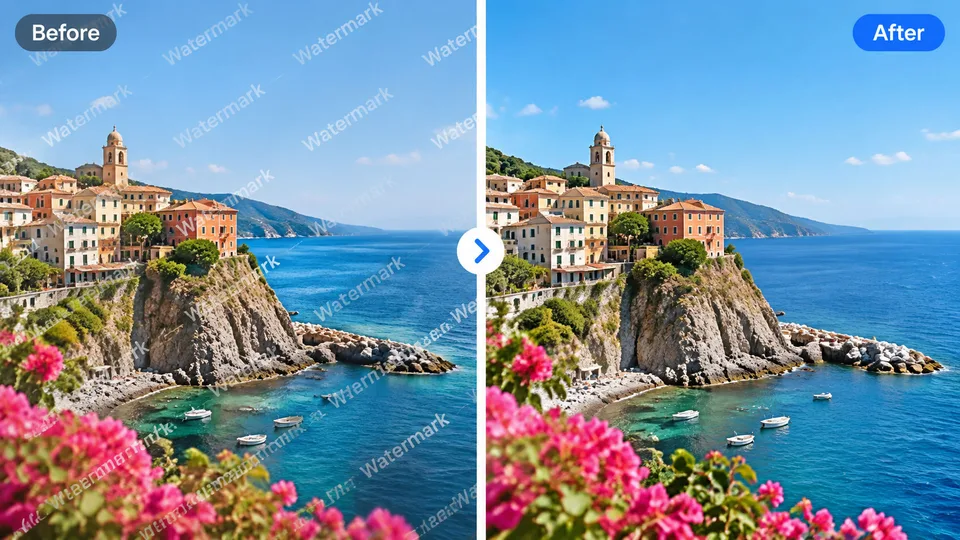
Example result
Why Watermark Remover
A watermark remover detects overlay stamps, logos, and semi-transparent text, then reconstructs the covered area so the rest of the photo stays unchanged.
Targets stamps, logos, and translucent text instead of redesigning the photo.
Fills the cleared area so it follows nearby color, grain, and lighting.
Framing and subject scale stay locked while only the mark is removed.
How it works
Upload the image with the watermark.
Click Apply AI to remove the overlay.
Slide to check the fill, then download.
Guides & insights
Practical playbooks: what the tool changes in your photo, what to expect in 2026, and checklists for cleaner first-try results—plus how to fix common failures without wasting credits.
What counts as a watermark, how the fill is rebuilt, and when the patch will still show.
Includes checklists, QA steps, and fix loops
Read guideWhy teams remove their own stamps before a crop, and why someone else’s watermark is a rights problem.
Includes checklists, QA steps, and fix loops
Read guidePick marks that do not cover the whole subject, then inspect the fill on the slider.
Includes checklists, QA steps, and fix loops
Read guideFAQ
Practical answers before you upload your photo.
An AI watermark remover detects overlay stamps, logos, and translucent text, then reconstructs the image underneath without changing the rest of the photo.
Small marks over simple backgrounds clean up more reliably. A large stamp across a face or fine detail may leave a soft patch — check the slider before you download.
No. RenderHarbor keeps the original framing and subject scale and only edits the marked area.
Remove watermarks only from images you have the rights to edit. A watermark often marks someone else’s copyright.
More apps
RenderHarbor Watermark Remover targets stock stamps and logo overlays. It fills the cleared patch to match nearby texture and light, then lets you compare the original with a slider.
Use it only on images you have the right to edit. Small marks on simple backgrounds clean up more reliably than a stamp that covers a face or fine detail.
Last updated September 2026. Related searches include remove watermark from photo, AI watermark remover, and delete logo from image.
These edits sit alongside the AI photo generator and the rest of the AI photo tools.
Related searches: watermark remover · remove watermark from photo · AI watermark remover · remove logo from image · delete watermark online
Read the full Watermark Remover guides covering principles, industry landscape, and best-result tips.