RenderHarborRenderHarbor
All Apps
Text

Edit Text in Image

Rewrite words already in a photo — signs, posters, labels, and screenshots — while keeping the original font and layout. Describe exactly which words should change.

Edit Text in Image

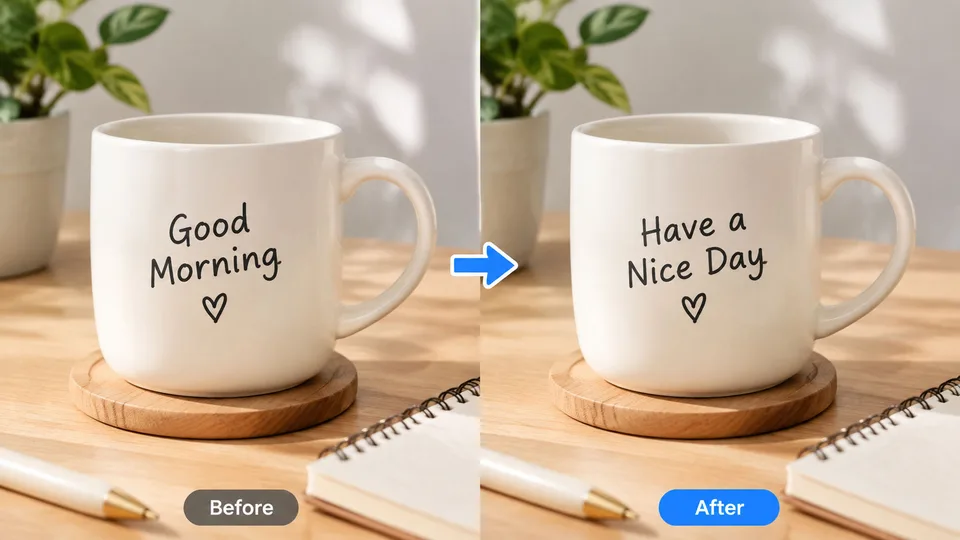
Example result

Why Edit Text in Image

Why this text editor keeps the original design

Edit text in image replaces lettering already visible in a photo — signs, labels, posters, or screenshots — while matching the original font, color, and placement.

Typography lock

New words follow the original font, color, size, and perspective instead of dropping in a default typeface.

Layout stays put

Signs, labels, and posters keep their crop. Only the letters you name should change.

Plain-language edits

Write the change in one sentence, such as replacing a headline or fixing a typo.

How it works

How to edit text in an image online

  1. 1

    Upload the image that contains the text.

  2. 2

    Describe which words should change and what they should say.

  3. 3

    Apply AI, compare with the slider, then download.

Guides & insights

Edit Text in Image guides users actually need

Practical playbooks: what the tool changes in your photo, what to expect in 2026, and checklists for cleaner first-try results—plus how to fix common failures without wasting credits.

FAQ

Edit Text in Image questions

Practical answers before you upload your photo.

What does Edit Text in Image change?

It rewrites lettering already visible in a photo — headlines, labels, signs, or UI text — and tries to keep the original type style and placement.

How should I describe the edit?

Name the original words and the replacement. Example: change “SALE” to “NEW” and keep the same font and color.

Will the rest of the photo change?

The edit is limited to the specified text. People, products, background, and framing should stay the same.

What images work best?

Sharp, readable text on signs, packaging, posters, and screenshots. Tiny or heavily blurred lettering is harder to replace cleanly.

About edit text in image on RenderHarbor

RenderHarbor Edit Text in Image is for headlines, packaging, and signs that need a wording change without a redesign. You describe the swap in one sentence, then check the before/after slider.

The prompt locks framing and non-text content. Sharp, readable lettering produces cleaner replacements than tiny or motion-blurred type.

Last updated September 2026. Related searches include change text in photo, AI text editor for images, and replace words in a picture.

These edits sit alongside the AI photo generator and the rest of the AI photo tools.

Related searches: edit text in image · change text in photo · AI text editor for images · replace words in picture · edit image text online

Read the full Edit Text in Image guides covering principles, industry landscape, and best-result tips.