RenderHarborRenderHarbor
All Apps
BG

AI Background Remover

Cut out the subject and replace the background with a clean transparent-style white studio look. Works best with a clear subject photo.

Remove Background

Example result

Why Remove Background

Why creators choose this AI background remover

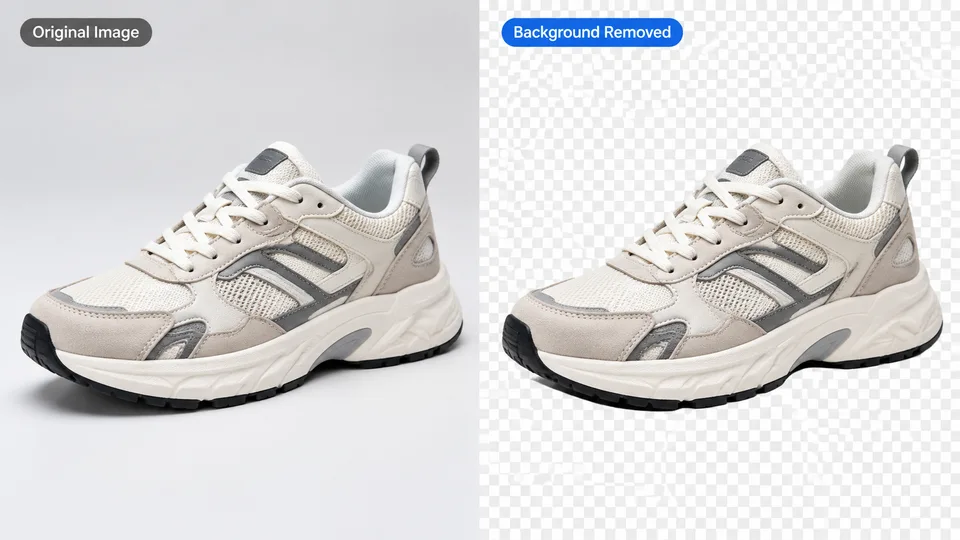
An AI background remover uploads a photo, detects the subject with segmentation, and replaces the background with a clean studio backdrop while keeping framing and subject scale unchanged.

Clean cutouts

Preserve hair strands, soft edges, and product contours without harsh matte lines.

Studio-ready output

Swap busy scenes for a white backdrop ready for listings, ads, and profile shots.

Before / after slider

Compare the original and processed image side by side before you download.

How it works

How to remove a background online in 3 steps

  1. 1

    Upload a clear photo with a visible subject.

  2. 2

    Click Apply AI to remove the background.

  3. 3

    Slide to compare, then download the result.

Guides & insights

Remove Background guides users actually need

Practical playbooks: what the tool changes in your photo, what to expect in 2026, and checklists for cleaner first-try results—plus how to fix common failures without wasting credits.

FAQ

Remove Background questions

Practical answers before you upload your photo.

What is an AI background remover?

An AI background remover detects the subject in a photo and replaces the background with a clean studio backdrop, typically in one upload-and-process step.

Does Remove Background work for ecommerce product photos?

Yes. It works for portraits, product shots, and lifestyle images where the subject is clearly separated from the scene.

Will hair and soft edges stay intact?

The model aims to preserve soft edges and hair detail. For best results, use a sharp source photo with good contrast against the background.

Does remove background online change my crop?

No. RenderHarbor keeps the original framing and subject scale while replacing only the background area.

About AI background remover on RenderHarbor

RenderHarbor Remove Background is an AI background remover built for ecommerce cutouts, profile photos, and ad creatives. Upload once, run the model, then inspect hair edges and product contours with a before/after slider before you download.

Unlike desktop masking workflows, this remove background online tool keeps composition locked — no accidental zoom — so listings and templates stay aligned. Pair it with Image Enhance when source photos need clarity before cutout.

Last updated September 2026. Related searches include photo cutout, studio white background, and background removal AI for marketplace listings.

These edits sit alongside the AI photo generator and the rest of the AI photo tools.

Related searches: AI background remover · remove background online · photo cutout · background removal AI · studio white background

Read the full Remove Background guides covering principles, industry landscape, and best-result tips.